View Local Meeting Recordings
You can view a list of local meeting recordings that haven't been uploaded to Meeting Insights.
Only the owner, co-owner, or users with editing privileges can view local meeting recordings.
| ➢ | To view local meeting recordings: |
| ■ | In the Navigation pane, click  Local Recordings; the Local Recordings page opens. |
The local recordings are listed in descending order from the most recent to the oldest.
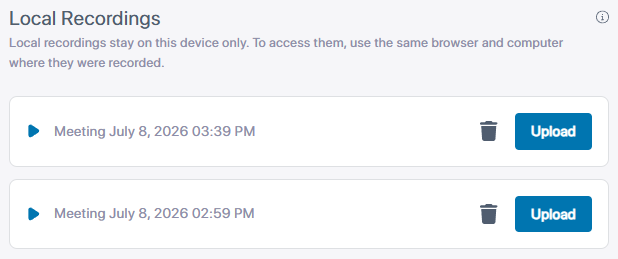
The Local Recordings page displays only local recordings made through the specific management interface type that you are currently using for Meeting Insights — either the web interface or the app for Microsoft Teams. For example, local recordings made using the Meeting Insights app for Teams are only listed on the Local Recordings page of the Meeting Insights app for Teams; they won't be listed when using the web interface.
In addition, if you are using the Meeting Insights web interface, the page only displays local recordings that were made using the same browser that you are currently using for Meeting Insights. Recordings made through a different browser do not appear. This is because recordings are saved to the cache of the specific browser. For example: If you access Meeting Insights through Google Chrome, the Local Recordings page only lists local recordings that you made while Meeting Insights was running on Chrome. Recordings made while Meeting Insights was running on another browser (e.g., Firefox or Edge) are not displayed.
 Related Topics