Search Meeting Recordings with Basic Search
The meeting recordings list view includes a powerful search feature that helps you quickly find recordings using multiple filter criteria. For example, you can search for all recordings owned by a specific owner that are not yet published.
| ➢ | To search meeting recordings with Basic Search: |
| 1. | Open the meeting recording list view that you want (see View Meeting Recordings List). |
| 2. | (If you're in Smart Search mode, click the Basic Search link.) |
| 3. | Use any of the following search filter criteria: |
|
Filter Field |
Description |
|||||||||||||||
|---|---|---|---|---|---|---|---|---|---|---|---|---|---|---|---|---|
|
Search field |
Filter the meeting recordings list by name, participant, or tag. As you type, a drop‑down list appears of meeting recordings that match the typed characters. To search for an exact string, enclose the string in double quotation marks (for example, "Finance review"). |
|||||||||||||||
|
Date |
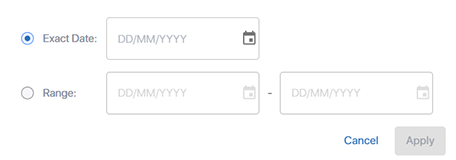
Filter the meeting recordings list by date:
|
|||||||||||||||
|
Owner |
Filter the meeting recordings list by Owner. |
|||||||||||||||
|
Participants: |
Filter the meeting recordings list by participants. |
|||||||||||||||
|
|
Filter the meeting recordings list to show only meeting recordings that have not been published. |
|||||||||||||||
|
|
Filter the meeting recordings list to show only meeting recordings that were shared with people outside of your organization (external). For more information, see Share a Meeting Recording Outside of Your Organization. |
|||||||||||||||
|
|
Filter the meeting recordings list to show only meeting recordings that have AI-generated insights. |


The meeting recordings list view shows all the matching meeting recordings. The number of matching results is shown next to Clear All. (e.g., "1 Meetings"). The following figure shows an example of filtering the meeting recordings list by name, date, and Owner:

| 4. | To clear your search filter, click Clear All; all meeting recordings are now displayed. |