Rerun the AI-generated Recap
You can rerun artificial intelligence (AI) to create the Summary, Outline, Action Items, Q&A, and Issues and Solutions recap types. Rerunning AI may be useful, for example, to improve the previously generated recap. The new AI-generated recap replaces the previous AI-generated recap.
|
●
|
Re-running the AI-generated insights overwrites all previous AI-generated insights. |
|
●
|
The recap is generated by an AI model, which may sometimes generate inaccurate information. Therefore, it's recommended that you review the AI-generated recap and edit them if required to ensure accuracy and relevance before sharing it with others. |
|
●
|
If you're the owner of the meeting recording, you can always trigger AI. However, participants of the meeting recording can also trigger AI if your organization's administrator has enabled such functionality. |
|
●
|
It may take some minutes to generate the AI-powered recap. |
|
●
|
When you activate AI, it also generates a transcription. |
|
➢
|
To rerun AI to create summary and action items: |
|
1.
|
In the Navigation pane, click  All meetings, and then Click the meeting recording name; the Player page appears. |
|
2.
|
Click the arrow on the Recap tab, and then from the drop-down menu, choose Rerun AI: |
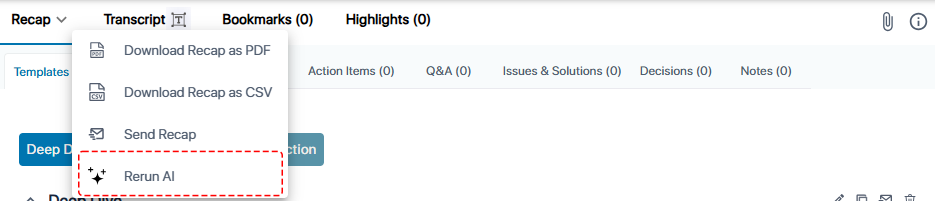
A confirmation message box appears.
|
3.
|
Click Continue; AI regenerates the recap types. |