Send Recap to Spark Hire Recruit
Meeting Insights allows you to send a meeting recording's AI-generated summary to your organization's Spark Hire Recruit platform. If you're an HR staff member, you can use this integration to send the summary of a candidate interview (recorded by Meeting Insights) directly to that candidate's profile in Spark Hire Recruit.
|
●
|
Integration with Spark Hire Recruit is available only if enabled by your Meeting Insights administrator. |
|
●
|
You can send only the following AI-generated summary types to Spark Hire Recruit: |
|
✔
|
Bullet-points summaries. |
|
✔
|
Summary-based templates. |
|
●
|
The Spark Hire Recruit icon appears next to a summary when your organization is integrated with Spark Hire Recruit. The icon's appearance indicates its status: |
 Meeting Insights is integrated with Spark Hire Recruit and you can send the summary to Spark Hire Recruit.
 The summary has already been sent to Spark Hire Recruit.
|
●
|
Meeting Insights sends the summary only if all the following conditions are met: |
|
✔
|
The meeting includes an external participant (i.e., the job candidate). |
|
✔
|
The external participant's email address matches a candidate's email address in Spark Hire Recruit. |
|
✔
|
The meeting recording's date and time match the candidate's scheduled interview in Spark Hire Recruit, within a 10-minute window (before or after the scheduled time). |
|
●
|
Only the Owner, Co-owner, or users assigned editing privileges to the meeting recording can send the summary to Spark Hire Recruit. |
|
➢
|
To send an AI-generated summary to Spark Hire Recruit: |
|
1.
|
In the Navigation pane, click  All meetings, and then click the meeting recording you want; the Player page opens. |
|
2.
|
Select the Recap tab, and then click Templates or Summary. |
|
3.
|
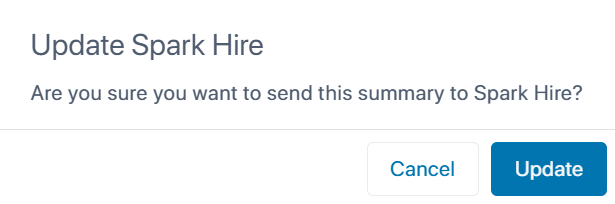
Click the Spark Hire Recruit icon next to the summary you want to send; the following confirmation message appears: |
|
4.
|
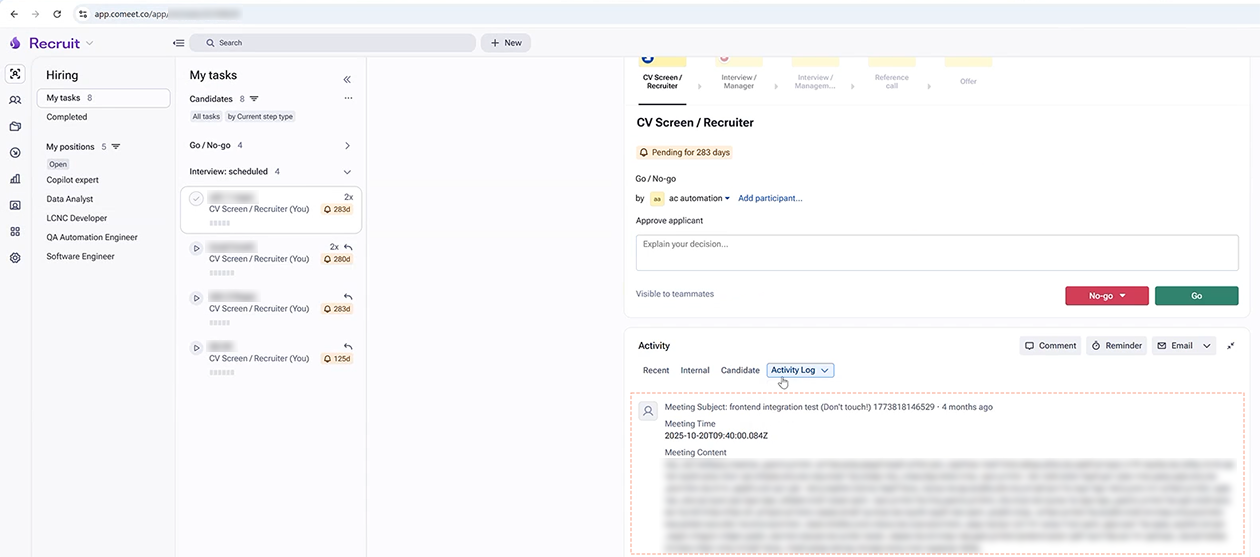
Click Update; Meeting Insights sends the summary to Spark Hire Recruit and adds it to the Activity Log of the candidate's profile, as shown in the following example: |