Send Recap Content to an Existing Jira Issue
You can send a meeting recording's recap content to an existing Jira issue. Use this option when the meeting discussed work that's already tracked in Jira, for example, to record a decision, a status update, or a change in scope.
The recap content is added to the Jira issue as a comment, so the issue's existing description and fields don't change.
You choose which summary sections and action items to send, and you can preview and edit the content before you send it.
|
➢
|
To send recap content to an existing Jira issue: |
|
2.
|
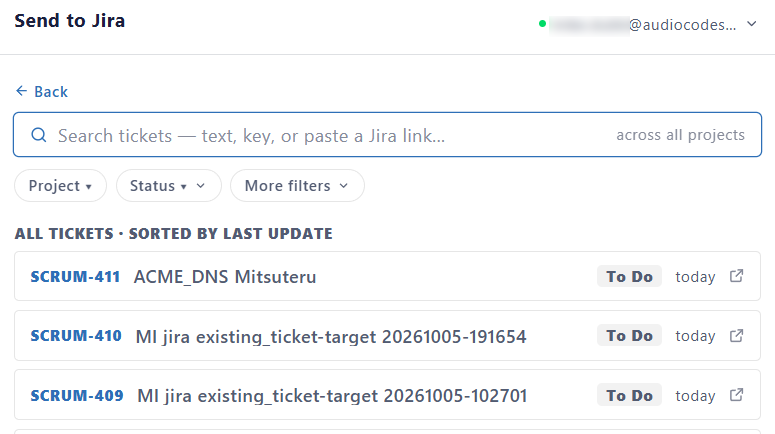
On the Log to Jira tab, click the Choose Jira Issue box; a list of Jira issues appears: |
|
3.
|
Select the Jira issue. To find an issue, filter the list by project, status, or type (for example, Epic or Bug), or search by issue key, link, or text. |
|
4.
|
Under Choose content, select the content to send: |
|
●
|
To include all content of a type, select the check box of MIA AI Summary or Action items. |
|
●
|
To include specific content, click the content type to expand it, and then select the sections or items. |
|
6.
|
(Optional) Under Preview, review the content. To change it, click Edit. |